TredFi™

TredFi Relay · Your customers. Your conversations.

Run your own Meta ads. Work your own database.

Bring your Meta leads and existing customers into one follow-up workspace. Built for auto dealers and tire & wheel merchants.

See the preapproval campaign journey
Illustrative TredFi rich-message conversation beside a truck and wheel package, with financing, package browsing, and installation actions
Illustrative RCS customer experience. Features depend on setup and device support.

New leads. Existing customers. Put both to work.

Use Relay for the people who respond to your ads and the people already in your database. You choose where the next opportunity comes from.

Run your own Meta campaigns.

Create and manage Facebook and Instagram ads in your own Meta Ads Manager account. Keep control of your creative, budget, and audience; use Relay for the follow-up that comes next.

  • Vehicle inquiries for auto dealers
  • Preapproval campaigns for tire & wheel merchants
  • Conversations that move toward a sale or appointment

Work the database you already have.

Start with customer records from your dealer DMS or CRM, TredFi OS, or your tire and wheel shop’s existing POS or operating system. Revisit past inquiries, open quotes, and previous customers.

  • Reconnect with shoppers who never bought
  • Follow up on tire and wheel quotes
  • Stay in touch after a purchase or installation

No additional Meta ad spend required for database follow-up.

For tire & wheel merchants

From a Meta preapproval ad to an install appointment.

Run a preapproval campaign from your own Meta account. Pair Relay follow-up with TredFi’s financing and shopping tools to guide customers from their first click through a purchase and installation appointment.

  1. 01

    Run the ad

    Invite shoppers to explore preapproval for tires and wheels through your own Meta campaign.

  2. 02

    Explore financing

    Let the customer apply and review the options available from the financing provider.

  3. 03

    Choose the package

    Help them select tires and wheels, review fitment, and work through the quote.

  4. 04

    Complete the sale

    Use Relay follow-up to answer questions and help the shopper continue to checkout.

  5. 05

    Make the appointment

    Coordinate the installation request and confirm the appointment with your shop.

This journey combines Relay with TredFi financing, Studio, and TredFi OS. Connections are scoped during pilot onboarding; financing decisions and terms depend on the provider, and your shop confirms appointments.

RCS rich messaging

Bring the showroom into the conversation.

Show customers what they can buy and give them an easy next step. RCS brings your brand, product imagery, and useful actions into the conversation on their phone.

Your brand in their messages

Show your business name, logo, and an approved sender identity so customers can recognize the team they’re talking to.

Photos and video that sell the idea

Share the vehicle, the wheel finish, or the complete build in a rich message card. Give shoppers something they can picture buying.

Swipe through the options

Let customers compare vehicles, tires, or wheel packages in a visual carousel, with a relevant action attached to each option.

A next step they can tap

Offer actions like Explore financing, View quote, Request installation, or Get directions. Take the customer straight to the right next step.

Quick replies that keep things moving

Give customers simple choices such as Check fitment, Show me options, or Talk to the team, without making them type out every request.

See when the message gets through

Use available delivery and read signals to guide follow-up, with an eligible SMS fallback for customers who can’t receive RCS.

The RCS experience shown is illustrative. Relay’s live RCS connection is in development and requires provider integration and sender approval. Features vary by carrier, device, and messaging app; eligible SMS fallback is configured separately.

The follow-up tools that matter.

A focused workspace for responding to leads, restarting conversations, and helping customers take the next step. You stay in control of the ads and the customer relationship.

One inbox for your team

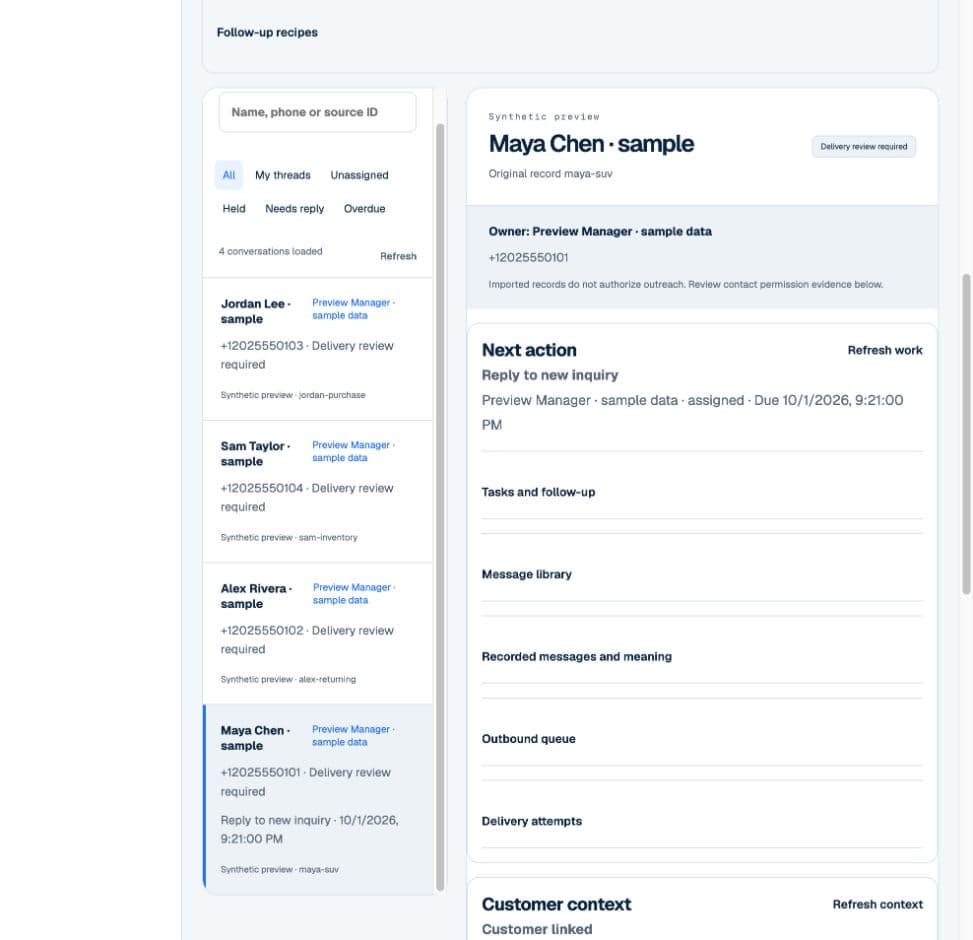
Keep conversations, customer details, and ownership together so your team knows who needs a reply and who is handling it.

Follow-up for new and past customers

Plan messages for new inquiries, returning shoppers, open quotes, and purchase or service check-ins. Your team reviews each message before sending.

AI help with the next step

Use AI to interpret customer messages and review the proposed response. Give your staff useful assistance while keeping them in charge of the conversation.

Appointments connected to the conversation

Carry vehicle interest or a tire and wheel quote into a visit or installation request. Track the request and the confirmed appointment together.

Your ads. Your database. Your follow-up.

See how Relay brings follow-up to your own Meta campaigns and existing customer database, including a tire and wheel journey from preapproval to purchase and installation appointments.

This 72-second overview also previews RCS rich cards, quick replies, and customer actions. The RCS experience is illustrative; live integration is in development.

Read video transcript

[Instrumental music] Your ads. Your customers. Your follow-up. Run your own Facebook and Instagram campaigns. Keep control of your account, creative, and ad budget. Work your existing DMS, CRM, or shop database. No additional Meta ad spend. Platform and messaging costs are separate. From a preapproval campaign to an installation appointment. Financing. Package. Purchase. Appointment. Provider terms and shop confirmation apply. RCS: your brand, rich product cards, photos, and video. Swipeable options. Illustrative preview; live RCS integration is in development. Quick replies and actions for financing, quotes, and appointments. Delivery and read signals; eligible SMS fallback. Provider setup and device support required. Help customers choose a package and check out. Relay supports the conversation. TredFi shopping and financing tools support the purchase. Carry follow-up through to installation. Review the package. Request an appointment. Confirm availability and the appointment with the shop. Your campaigns. Your customer list. A clear next step. See TredFi Relay. tredfi.com/relay

How Relay fits your business.

What does Relay bring together?

Relay is being built for merchants who want to run their own ads and manage customer follow-up in one focused platform. The core is lead conversations, database reactivation, rich messaging, AI assistance, and appointments. We’ll walk through your current workflow and confirm which capabilities and connections fit your business.

Can we run our own Facebook and Instagram ads?

Yes. You create and manage campaigns in your own Meta Ads Manager account, with control over the creative, budget, and audience. Relay focuses on the lead conversations and follow-up after the inquiry. Publishing ads inside Relay is not part of the current product.

Can we use our existing database without spending more on Meta?

Yes. Working existing customer records does not require a new Meta campaign or additional Meta ad spend. Start with an exported customer list from your dealer DMS or CRM, TredFi OS, or your shop’s existing POS or operating system. Your team reviews the records and plans the relevant follow-up. Platform and messaging costs are separate from ad spend.

How do tire and wheel preapproval campaigns work?

Your Meta ad invites shoppers to explore preapproval or prequalification with a financing provider. TredFi’s financing and shopping tools support the application, package selection, and checkout; Relay supports the conversations and follow-up through an installation appointment. This is a combined TredFi workflow scoped during onboarding. Approval and terms depend on the financing provider, and your shop confirms the installation time.

Does Relay replace our DMS, CRM, or shop system?

Relay is designed to work alongside those systems. Customer lists can be imported, while Relay gives your team a place to work conversations and follow-up. Direct connections to your specific systems are reviewed during pilot onboarding.

What does the AI and automation handle?

AI helps staff interpret messages and review suggested next steps. Follow-up schedules prepare messages for staff review, with pauses when replies or other changes need attention. The current workflow keeps your team responsible for approving outbound messages.

What can RCS add to the customer experience?

RCS supports a branded business sender, photos and videos, swipeable product cards, quick replies, and buttons that open financing, quotes, directions, or appointment requests. Delivery and read signals can help your team plan follow-up. Actions open the relevant flow; financing decisions and confirmed appointments still come from the provider and your shop. Relay’s live RCS connection is in development. Sender approval, provider setup, and customer device support are required; eligible SMS fallback is configured separately.

What can we use today?

Customer-list import is implemented in the pilot product. Talk with our team about your current campaigns, customer records, and appointment workflow. Native Meta and business-system connections are still being completed and validated, and live texting requires pilot setup and testing.

Put your campaigns and your customer list to work.

Walk through your Meta campaigns, existing database, and appointment process with us. See how Relay can fit the way your business sells.